

With the Social Sign In feature, you can allow your members to sign up and sign in to your Ning Network using other popular services like Facebook, Twitter, LinkedIn, Google, Yahoo!, and Windows Live. You can also choose whether you’d like to use Ning’s native Sign Up and Sign In tools, or if you’d prefer to only allow members to access your network with their existing 3rd party credentials.
If you’ve selected to enable Social Sign In, prospective members just need to approve your Ning Network to pull their credentials from the 3rd party service of their choice, allowing them to bypass the selection of a unique username and password for your Network. Don’t worry, though, each member using Social Sign In will still hit the second page of the sign up flow, which houses the Profile Questions for your Network.
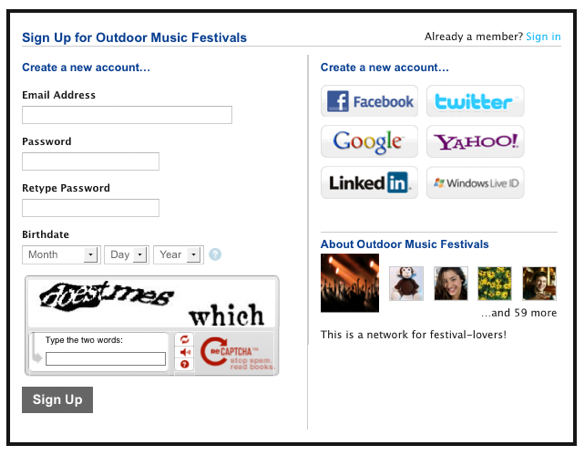
When a new member signs up using Social Sign In, your Network is able to automatically pull his or her name and email address and in many cases a profile photo, birthday, gender, and location (when that information is available). If a member has chosen to sign up using Twitter, the Network will automatically pull his or her photo and name from Twitter. Otherwise, in order to have this new sign up method pull in a profile photo, you’ll need to make sure your network requests a profile photo from new members. To learn how to create a Profile Photo question, click here.
Every time one of these members returns to your Ning Network and lands on the Sign In page, he or she will just need to click the button for the service originally used to sign up or that they’ve since linked their network profile with, and no other email or password information will be needed to sign in.
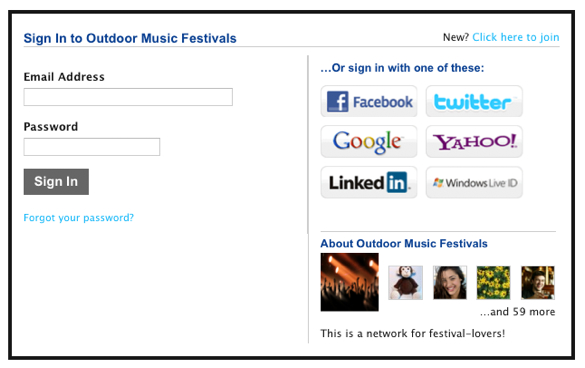
Please note that Twitter does not share users’ email addresses when they sign up with Twitter on any website. For this reason, members will still need to provide their email addresses when signing up.
Facebook lets members choose to use an anonymous email address or their Facebook contact email address.
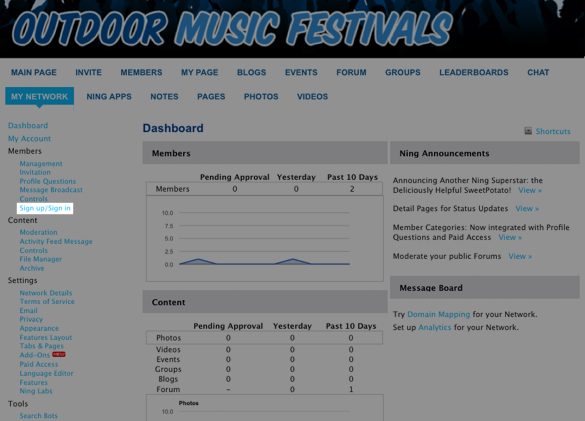
To enable Social Sign In on your Ning Network, click on the Sign up/Sign in link under the Members section of your My Network tab:
You’ll see on that page the 7 available sign up and sign in services for your Ning Network. Only the first option that shows your network name and icon is the default native Ning sign up and sign in tool; all other services are defaulted off until you activate them. You can decide for each service whether you’ll allow members to sign up and/or sign in with a specific service by checking the appropriate boxes.
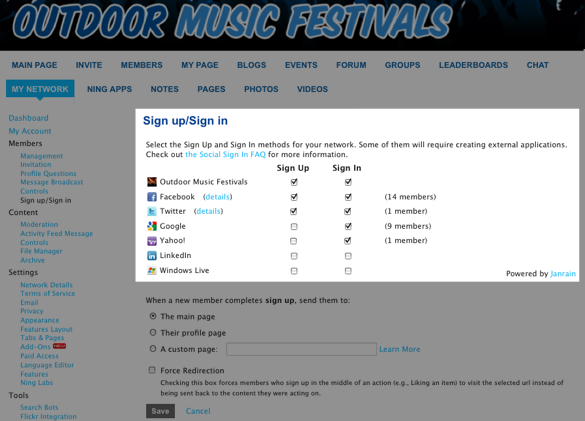
Any time you see a note next to the service that reads “(x members),” this indicates that you have that number of members currently using that service to sign in. If you then choose to stop allowing members to sign in with that service, these members will effectively be locked out of your network. For this reason, you may choose to only disable Sign Up for services you no longer wish members to use by unchecking the box in a service’s “Sign Up” column. Remember to always click “Save” at the bottom of the page to activate any changes.
Existing members can head to the Connections page in their personal Settings on your network to connect their accounts to those services so they can use them to sign in.
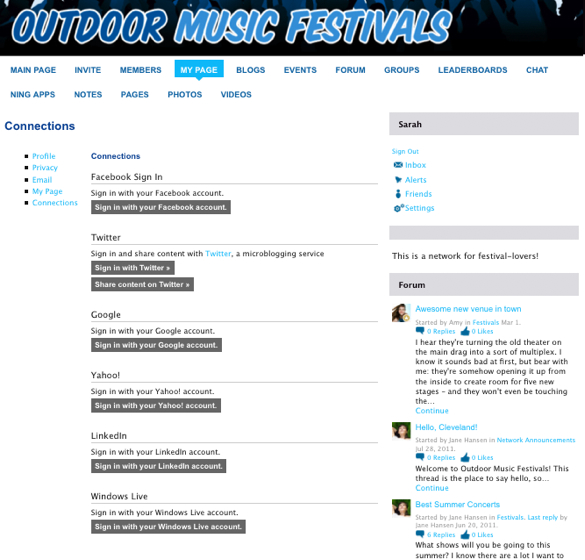
You and your members will click the button for the service you’d like to connect to, enter your credentials and allow Ning to access that information. After you do, you’ll then be redirected back to the Connections page where you’ll see the account you just set up activated. You can click on that account at any time to remove the connection.
Also on the Sign up/Sign in page you’ll see a section of controls that allows you to choose what page of your Ning Network new members land on right after they sign up. You can read more about this redirection feature here.
Frequently asked questions:
For most of your members, turning this on is all about convenience. Existing members will now be able to sign in with a single click. Those who use Social Sign-In when signing up won’t have to remember a password, nor will existing members who link their accounts using Social Sign-In. Even better, much of their basic sign-up info will automatically be filled out for new members.
When a new member signs up with a Google or Yahoo account, we are able to automatically pull in their name and email address. When they sign up via a Facebook account, we can additionally pull in a profile photo, birthdate, gender, and location (if the user allows that data to be pulled). Note that to have this new sign-up method pull profile photos, birthdates, gender and location, you’ll need to make sure your network has those profile questions set up.
Yes! You’ll continue to approve members in the same way you always have. If someone signs up using their Facebook account, we’ll simply pre-populate information we are able to add to your existing profile questions.
No. Social Sign-In focuses only on the sign-up and sign-in process.
Yes, you can. However, keep in mind that the Facebook App that is created in the process will be connected to one person’s Facebook account. If you are an NC, you may want to tie the Facebook App to your own NC account, in the event that your admins leave the network at some point in the future.
When signing up for web sites using Facebook Login, members have the choice of providing their real email address or giving a proxy email address, which will be something similar to xxxx@proxy.facebookmail.com. Email to this address will be delivered, but you won’t know the member’s real email address.
 facebook
  twitter